

 0
 0
Choosing an industrial VPN router is only half the job. The other half is designing the network the routers will form: how sites connect to the centre, how addresses are allocated, where tunnels terminate, how traffic is restricted, and how the whole thing is monitored. A good design makes a network of five hundred sites as easy to run as five. A poor one turns every new site into a small project.
This article walks through the main design decisions for an industrial VPN network built on cellular routers, and shows how E-Lins routers support each of them.
Decision 1: Choose the Topology
Hub-and-spoke
Every site builds a tunnel to a central head-end, and all traffic between sites passes through the centre. This is the simplest and most common design for monitoring and control networks, where field sites mainly talk to a SCADA master or platform.
Dual hub
Sites build tunnels to two head-ends, in different locations, so the network survives the loss of one data centre.
Dynamic multipoint
Sites connect to a hub, but can build direct tunnels to each other on demand. DMVPN is a common way to achieve this, useful for networks where sites exchange traffic directly.
E-Lins support
E-Lins routers support IPsec, OpenVPN and WireGuard, with L2TP, GRE and DMVPN listed across its routers, and many models provide both VPN client and server functions.
Decision 2: Plan the Addressing
Each site's local network needs a unique address range, so the centre can reach any device unambiguously. A simple scheme, for example, one fixed-size block per site allocated in sequence, makes configuration templates easy to generate and avoids overlaps when sites are added years later. Document the plan before the first router is configured.
Remember that the router's cellular address is not part of this plan. Mobile operators commonly use carrier-grade NAT, and the public address changes when a router reconnects or switches SIM. The VPN hides this: the centre always reaches a site through its tunnel address.
Decision 3: Choose the Tunnel Protocol
IPsec when the head-end is an existing enterprise firewall or VPN gateway.
OpenVPN where flexibility or passing restrictive networks matters.
WireGuard where links change address often, such as vehicles or dual SIM sites, because it re-establishes tunnels quickly.
GRE or L2TP over IPsec where routing protocols, multicast or Layer 2 connectivity must be carried.
DMVPN for dynamic site-to-site connectivity in larger networks.
A South American gaming equipment manufacturer with 25,000 terminals using E-Lins routers noted that WireGuard encryption is fast with low overhead and significantly improved maintenance efficiency and data security.
Decision 4: Use Private APNs Where Available
Many operators offer private APNs, which keep traffic off the public internet and can assign fixed private addresses. Combining a private APN with a VPN gives two layers of separation. E-Lins routers support APN and VPDN private networks.
Decision 5: Restrict Traffic
A VPN connects networks; it does not decide what may cross them. Use firewall rules on the router so that only the required flows are allowed: the SCADA master to the PLC ports it polls, the recorder to the cameras, engineers to the devices they maintain. Expose nothing on the cellular interface. E-Lins routers include firewall functions; the H685t, for example, lists NAT, SPI, IP and MAC filtering and DoS protection.
Decision 6: Monitor the Tunnels, Not Just the Routers
A router can be online while its tunnel is down. Monitor both. E-Lins routers support SNMP, TR-069, and SSH, so tunnel and device status can be fed into existing monitoring tools, and all E-Lins industrial routers work with the E-Lins NMS cloud platform for status monitoring, parameter management, remote firmware upgrades, and statistics.
Decision 7: Build Templates and Stage Changes
Generate each router's configuration from a template plus site-specific values such as its address block. Load the configuration before shipment where possible; E-Lins lists firmware behaviour within its customisation scope, so defaults can be agreed. Apply later changes to a small group first, then to the rest of the network.
A Worked Example: 300 Remote Stations
Consider a utility connecting 300 remote stations to a SCADA master and an engineering network. The design might use a dual-hub topology with two head-ends in different data centres; IPsec to the existing firewalls; one address block per station allocated in sequence from a documented plan; a private APN from the main operator; and dual SIM routers at the 40 most critical stations. Firewall rules allow only the SCADA master to reach the RTU ports and only the engineering network to reach maintenance interfaces. Every router reports status and tunnel state through SNMP to the existing monitoring system and to the manufacturer's platform. New stations are added by filling in a template with the next address block, so the three-hundred-and-first station takes no more design effort than the first.
Cellular-Specific Design Points
Tune tunnel MTU to avoid fragmentation on the mobile network.
Set keepalives that keep tunnels and NAT mappings alive without wasting data.
Plan for address changes after SIM failover or reconnection.
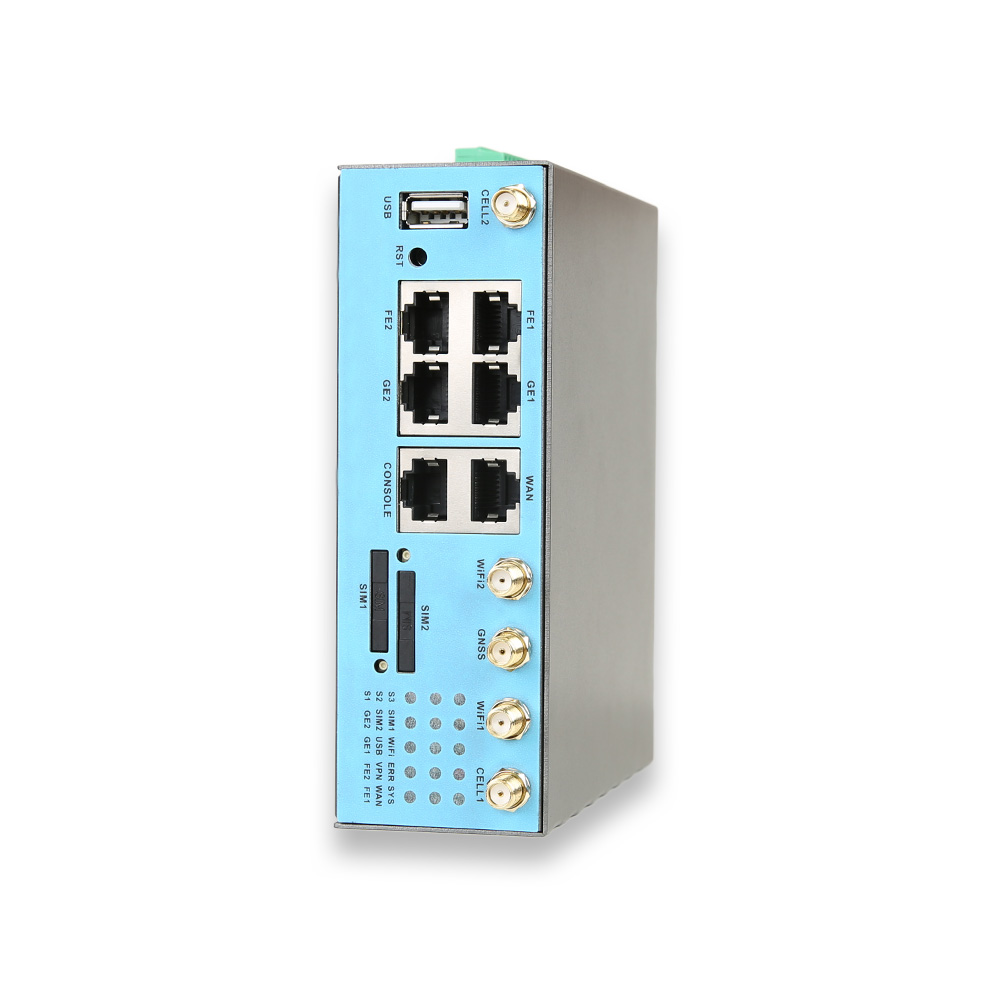
Use dual SIM or dual LTE at sites where the network cannot be allowed to drop. E-Lins offers dual SIM on the H900t and H900f and dual LTE on the H700 and H750tt.
The Router Underneath
A well-designed VPN network still depends on routers that stay up. E-Lins specifies industrial-grade components rated from -35°C to +75°C, 15KV ESD protection and 1.5KV electromagnetic isolation, with hardware watchdog timers and link self-healing to recover from faults automatically. Its firmware is developed in-house with lifetime free upgrades, so security fixes reach installed routers. E-Lins describes its routers as supporting enterprise-grade VPN encryption suites and financial-grade security standards.
The Manufacturer
Shenzhen E-Lins Technology Co., Ltd. has supplied industrial routers since its industrial roots in 1999 and supports customers in more than 150 countries and regions with 7x24 remote technical support, including packet capture analysis and remote debugging, which is often what it takes to find why a tunnel behaves differently at one site. When choosing an industrial VPN router, choose the network design at the same time; the router and the design succeed or fail together.
https://e-lins.com/
Shenzhen E-Lins Technology Co., Ltd.


