

 0
 0
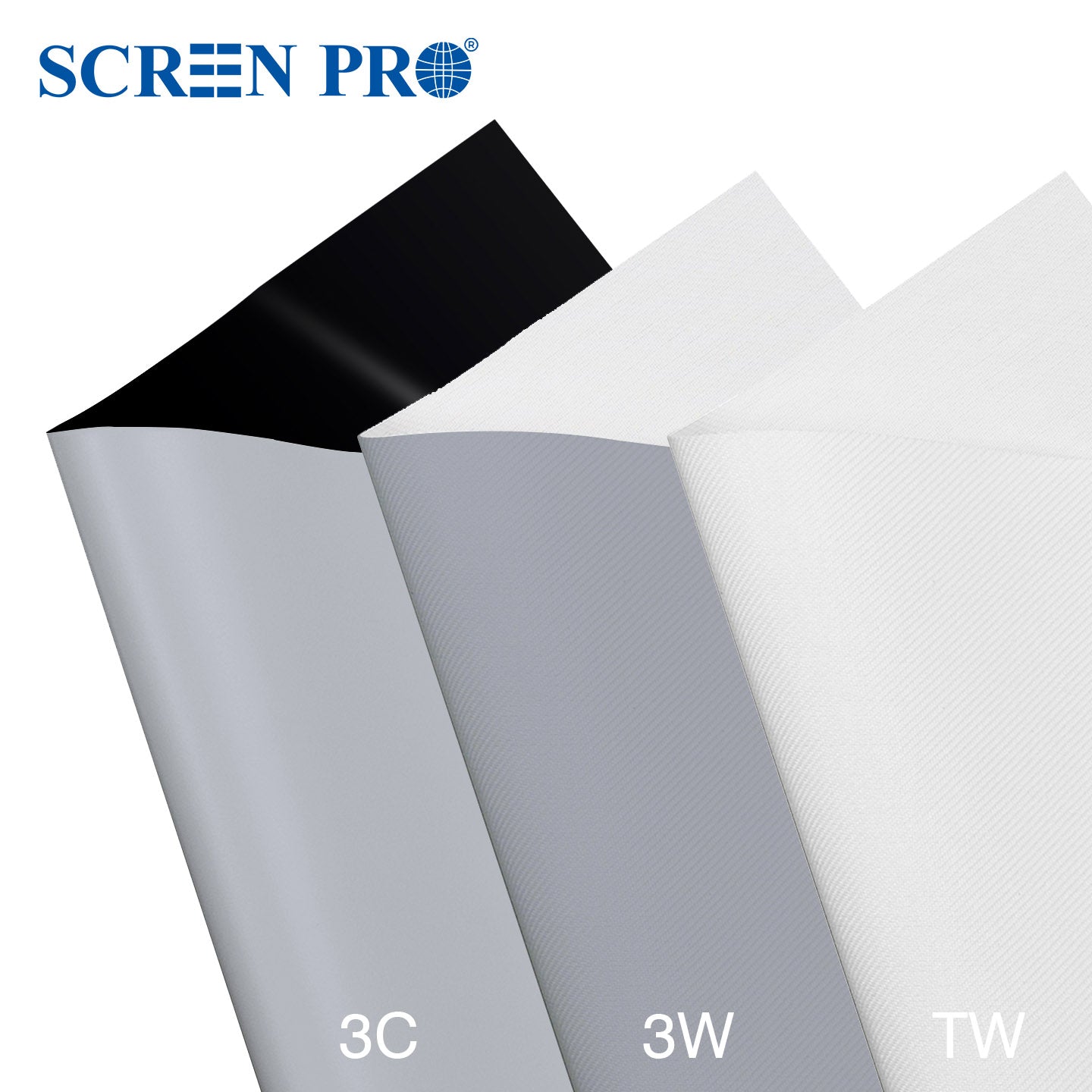
For a 120–150-inch screen in a dark or light-controlled room with a standard-throw RGB triple-laser projector, start with your speaker layout. If the speakers sit behind the picture, compare 3W and TW. If you don’t need speakers behind the picture, start with 3C. Compare the samples from your usual seats, then confirm the full-size screen separately.
Choose the samples to compare
- 3C: A matte gray material to try when visible speckle is a concern. It is neither acoustically transparent nor an ambient-light-rejecting (ALR) material.
- 3W: A gray woven acoustically transparent material. Try it if your speakers sit behind the screen and reducing visible laser speckle is a priority.
- TW: A white woven acoustically transparent material. Try it if you need behind-screen speakers and want to prioritize brightness. Check how much speckle you see with your own projector.
Use the swatches you already have. If you need all three, the ProVision sample pack includes one of each in your chosen size. A4 works for a first comparison; A3 gives you a larger area to judge from your seat.
Run the same test on each material
- Keep the projector’s picture mode, light output, and image size fixed. Hold each swatch flat where the screen will sit, with the projection side facing the projector. Compare them in the same spot in the image, or swap their positions if you test side by side.
- Play the same clips on each sample. Include a bright neutral area, a saturated color such as red, and a scene you watch regularly. From your usual seats, note which material looks bright enough, how noticeable speckle is, and whether you can see the surface texture.
- If you use more than one lighting setup, compare all the samples under each setup before changing the lights. Judge by eye first. If you take photos, keep the camera position, exposure, focus, and white balance the same.
For more detail, see the laser speckle testing guide.
Confirm the full-size screen before ordering
A swatch can narrow your material choice. It cannot confirm full-screen uniformity, installed flatness, clearance for a moving screen, or how the finished screen and backing will affect your speakers. Speckle can vary by projector and seating position, so a sample comparison cannot guarantee a speckle-free picture.
Once you’ve chosen 3C, 3W, or TW, check the finished screen in the exact size, aspect ratio, and mounting format you need. If you’re unsure, ask SCREEN PRO to review your setup. Include your projector model, screen size, room lighting, speaker positions, and installation space.
https://screenproscreens.com/
SCREEN PRO